Test Call Interface#
Access Test Call#
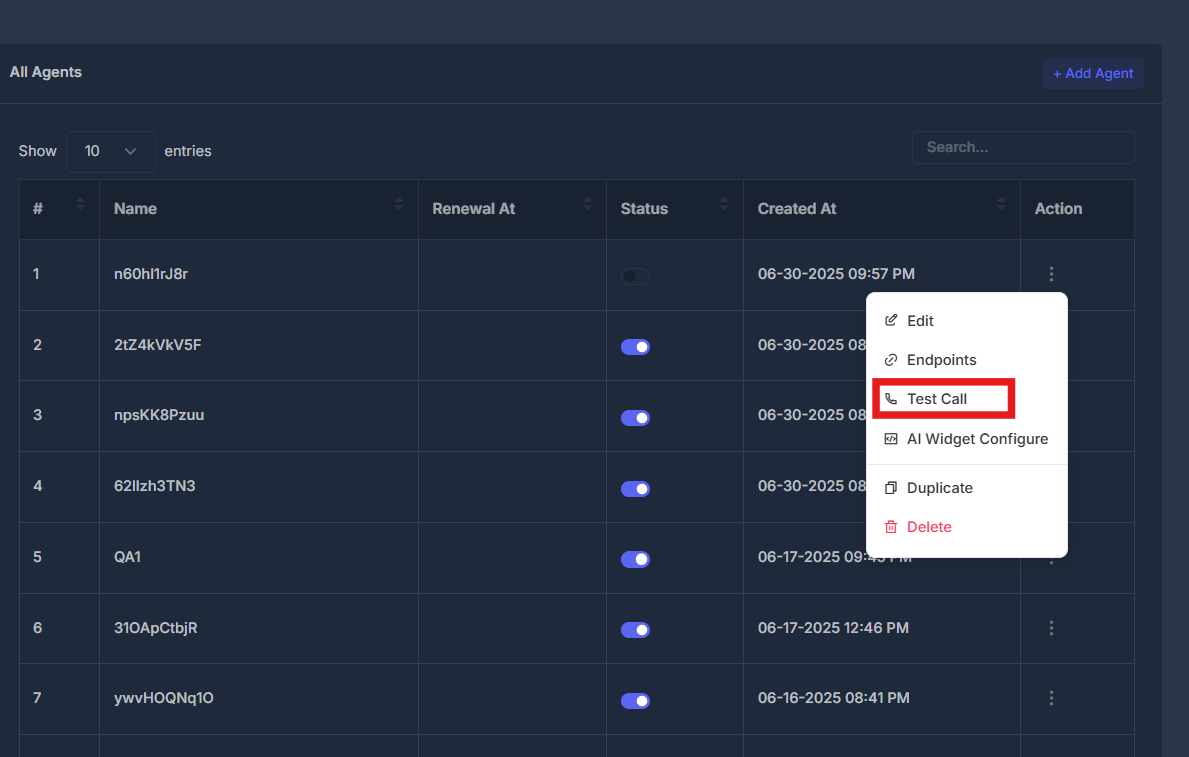
- Agent Actions Menu - Click the action button (⋮) next to any agent
- Select Test Call - Choose "Test Call" from the dropdown menu
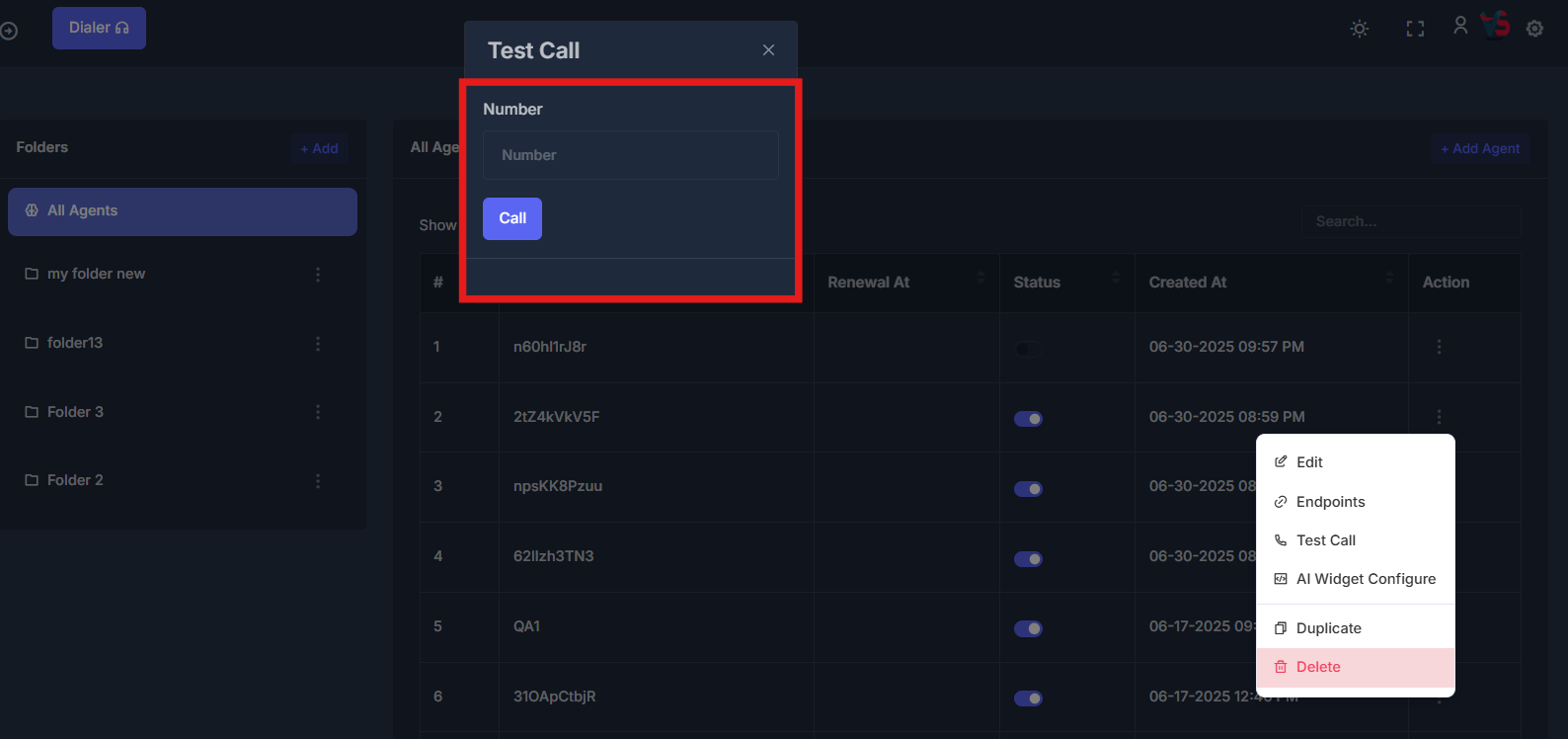
- Test Call Dialog - Opens dedicated test call interface
How to Test Call#
Step-by-Step Process#
- Navigate to Agent List - Go to the All Agents view
- Select Agent - Find the agent you want to test
- Open Actions Menu - Click the three dots (⋮) in the Action column
- Choose Test Call - Select "Test Call" from the dropdown
- Enter Phone Number - Input the destination phone number
- Start Test - Click the "Call" button to initiate the test call
Quick Actions#
Start Test Call
Open test call dialog and enter phone number to test
Agent Selection
Choose which agent to test from the agent list
Call Monitoring
Monitor call quality and agent performance during test
Performance Review
Evaluate test results and make agent improvements