Do these in order. A new agency account can add clients the same day if a plan exists.
1️⃣ Make a plan#
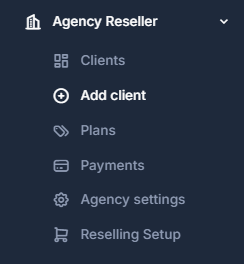
Open Agency Reseller → Plans.
Click New plan. You need:
- A name the client will see
- A monthly price, or Bill at my cost if you do not want a fixed price
- A markup on calls, texts, numbers, and seats (
0%means they pay your cost) - At least one feature turned on
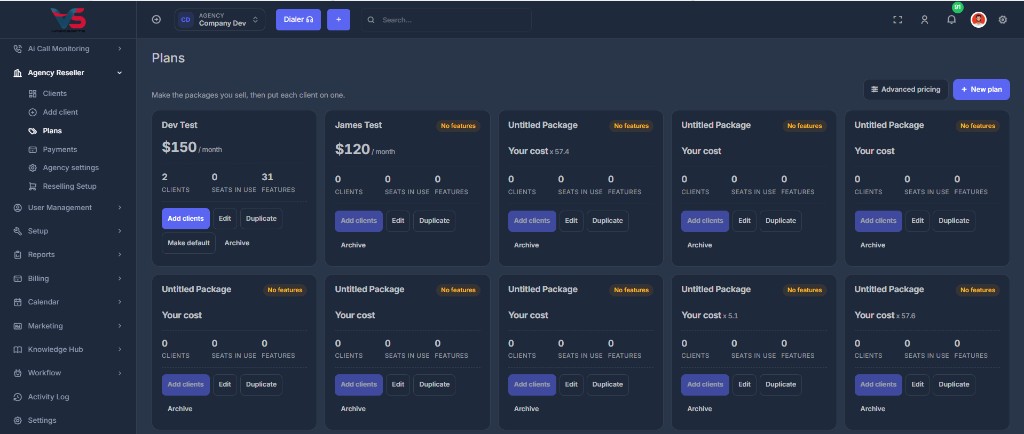
If every plan has zero features, Add client will block you. The account would open blank.
2️⃣ Connect Stripe so you get paid#
Open Agency Reseller → Agency settings.
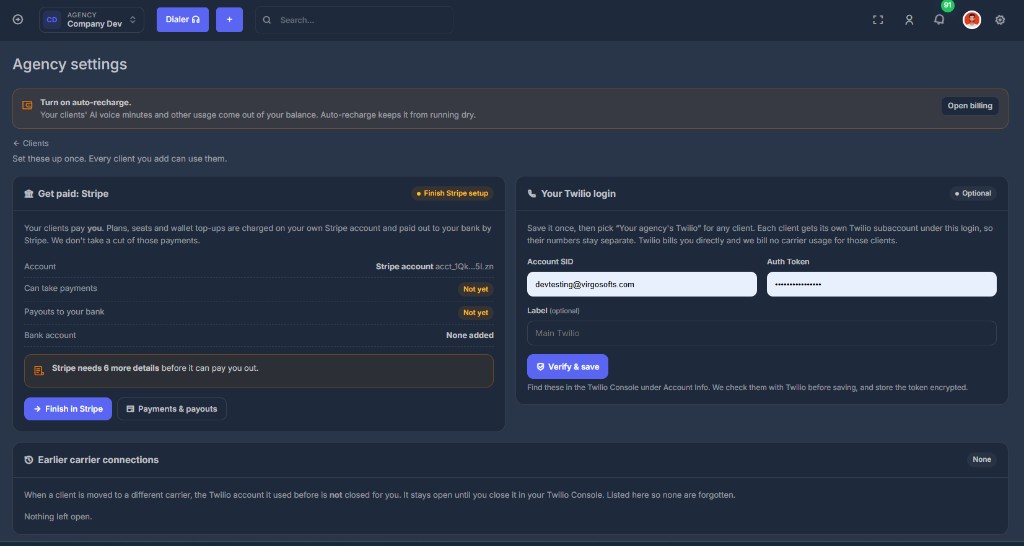
Client plans and wallet top-ups are charged on your Stripe account and paid out to your bank. We do not take a cut.
Until Stripe shows it can take payments and pay out, the Clients page shows Your Stripe account needs attention.
Click Finish in Stripe and complete whatever Stripe asks. Come back and confirm:
| Check | You want |
|---|---|
| Can take payments | Yes |
| Payouts to your bank | Yes |
| Bank account | A real account, last four shown |
3️⃣ Decide how phones will work#
Every client picks one phone carrier. You can use a different one per client.
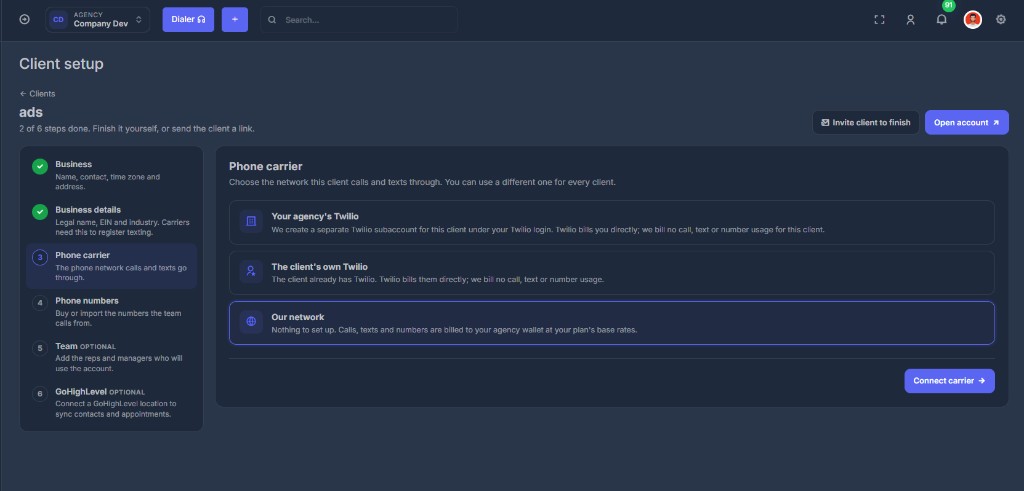
| Option | When to use | Who Twilio bills |
|---|---|---|
| Your agency's Twilio | You already have Twilio and want each client on a separate subaccount | You |
| The client's own Twilio | The client already has Twilio | The client |
| Our network | Nothing to set up. Fastest way to get them dialing | Your agency usage balance |
If you want Your agency's Twilio, save the Account SID and Auth Token on Agency settings first.
Our network usage comes out of your agency balance. Turn on auto-recharge under Billing.
4️⃣ Add the first client#
Agency Reseller → Add client.
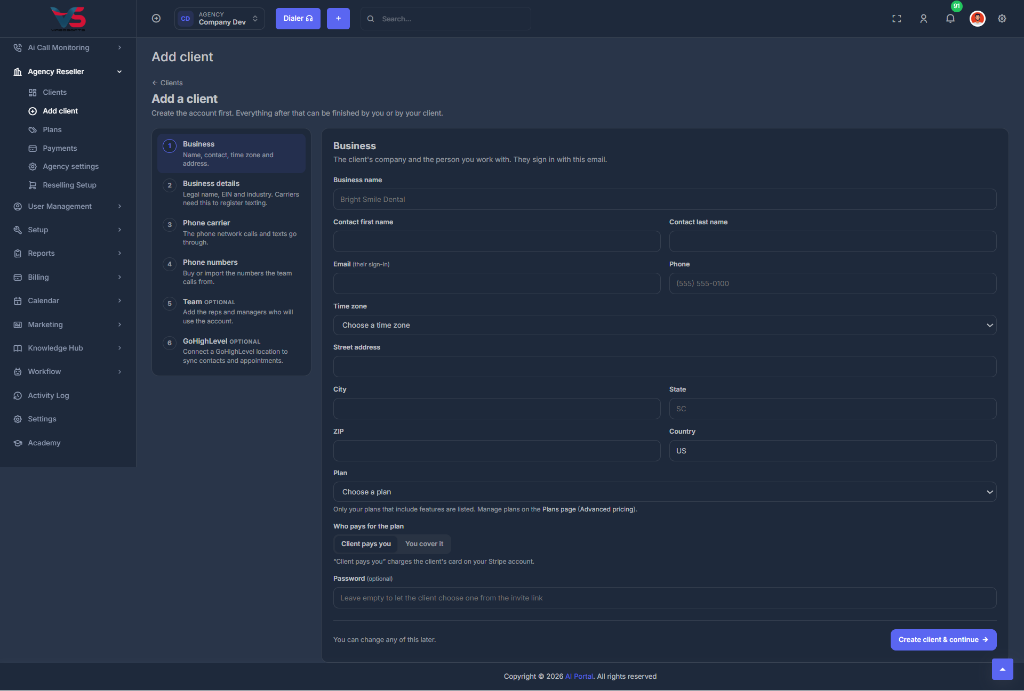
Step 1 (Business) creates the account. Then finish (or invite them to finish) legal business details, phone carrier, numbers, team, and GoHighLevel.
See Add a client for every field.
✅ Before you hand them the login#
A plan with features is assigned
Stripe can take payments if they are supposed to pay you
A phone carrier is connected
At least one number is on the account (or they know how to buy one)
You clicked Open and the workspace looks like theirs
If they will finish setup themselves, you sent Invite client to finish (the link lasts 7 days)